Overview
Take control of your newsletter timing and send messages when your audience is most likely to engage.
What's New
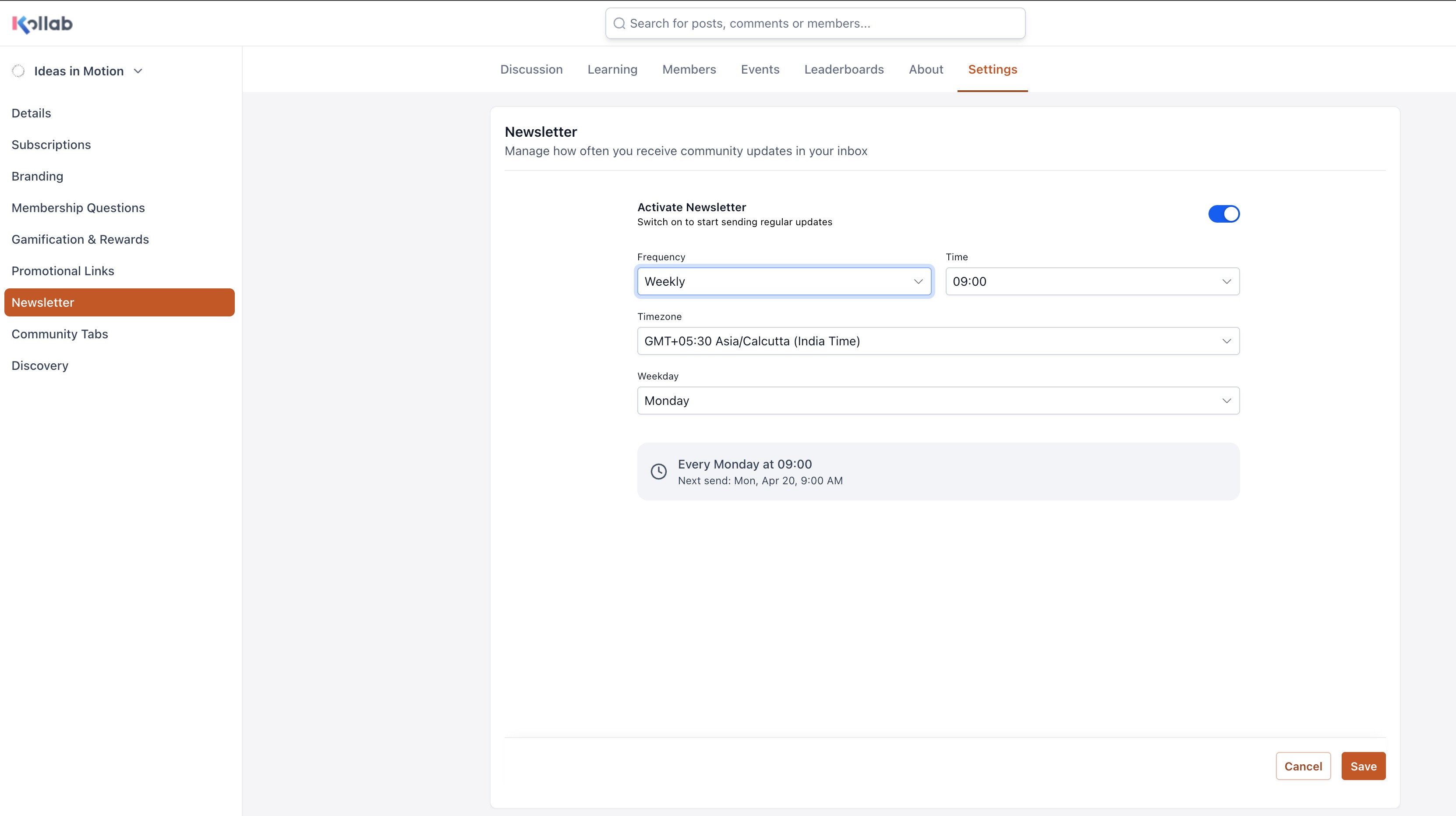
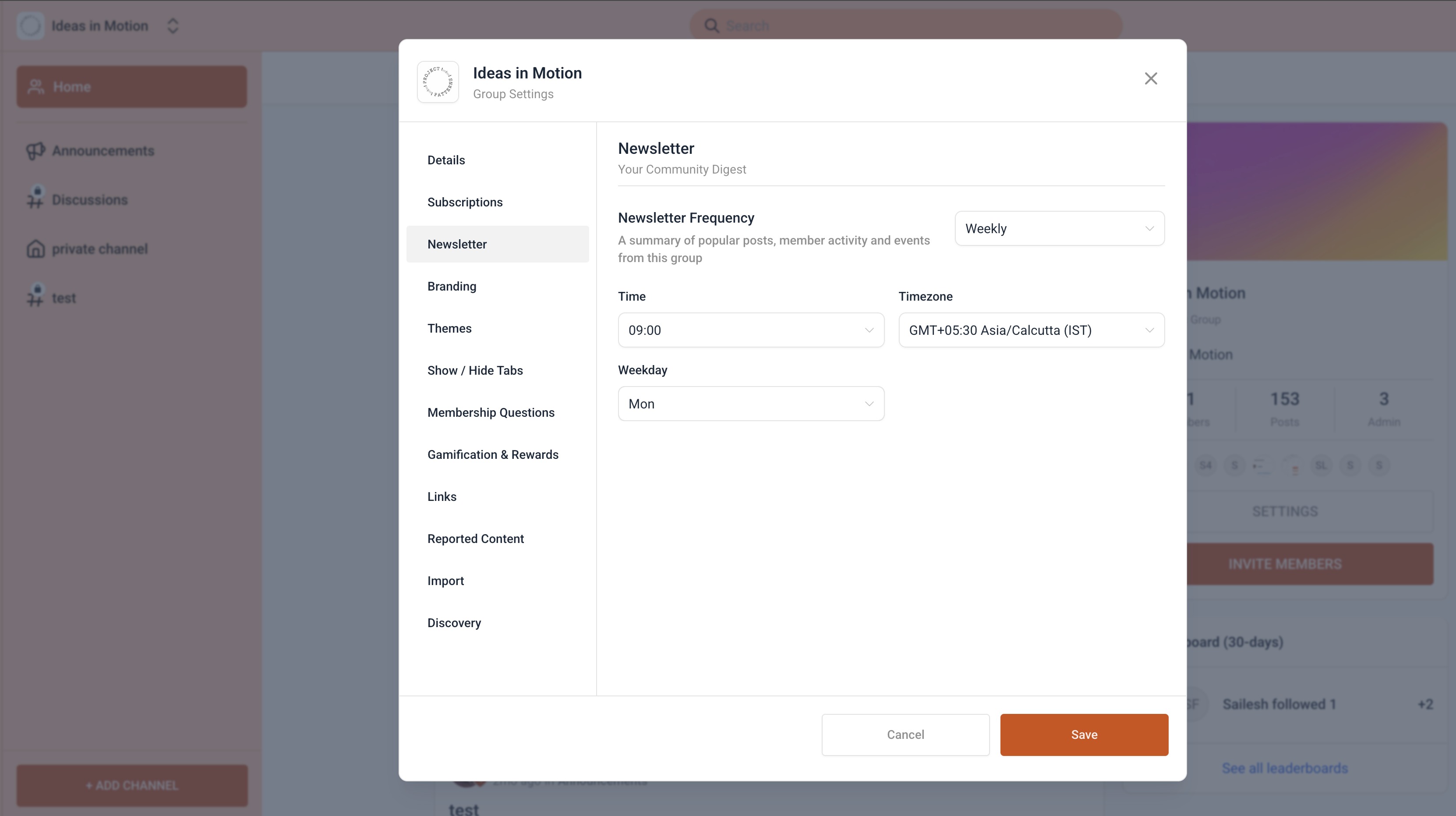
Until now, newsletters were sent at a fixed default time — the same for every community. With Newsletter Time Configuration, that changes.
Admins can now choose exactly when newsletters go out, based on what works best for their members:
- Daily — Set your preferred time + timezone (e.g., Daily at 8:00 AM, New York time)
- Weekly / Bi-weekly — Pick day + time + timezone (e.g., Every Tuesday at 10:00 AM, London time)
- Monthly — Choose date (1–27 or last day) + time + timezone (e.g., 1st of every month at 9:00 AM, IST)
No more generic schedules — your community, your timing.
Why This Matters
- Better timing: Reach members when they are most active
- Improved engagement: Optimized send times can increase open and click rates
- Global readiness: Built-in timezone support for distributed communities
- Greater control: Flexible scheduling without added complexity
Was this article helpful?
That’s Great!
Thank you for your feedback
Sorry! We couldn't be helpful
Thank you for your feedback
Feedback sent
We appreciate your effort and will try to fix the article